


OLED TV Burn-In Explained
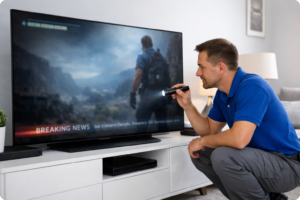 OLED TVs are well known for their outstanding picture quality, deep blacks, excellent contrast, and wide viewing angles. They produce a beautiful image and are often considered one of the best television technologies available today. However, one topic that comes up often is OLED burn-in. Many customers have heard the term, but are not always sure what it really means, how serious it is, or whether it can be repaired.
This page explains what OLED burn-in is, what causes it, how to reduce the risk, and what your repair options may be if it happens.
What Is OLED Burn-In?
OLED burn-in is a form of permanent, uneven wear on the screen. It happens when certain pixels age faster than others because they have displayed the same bright or static image for extended periods. Over time, this can leave a faint but permanent shadow or outline on the display.
Common examples include:
- Channel logos
- News tickers
- Sports score banners
- Video game HUDs
- Menu bars
- Static demo screens
- Content paused for long periods
When burn-in occurs, you may notice a ghost image that remains visible even when the content changes.
Burn-In vs. Temporary Image Retention
These two issues are often confused, but they are not the same.
Temporary image retention is usually short-term. A faint outline may remain on the screen for a little while after a static image disappears, but it often fades after normal viewing or when the TV completes its panel refresh cycle.
Permanent burn-in does not go away. It is caused by uneven pixel wear and remains visible across multiple inputs, menus, and picture types.
In simple terms:
- Image retention = temporary
- Burn-in = permanent
What Causes OLED Burn-In?
OLED panels are made of self-emissive pixels, meaning each pixel creates its own light. That is one reason OLED TVs produce such excellent black levels and contrast. The downside is that those pixels wear over time. If some parts of the screen are used more heavily than others, the wear becomes uneven.
Burn-in is more likely when a TV is used for:
- Watching the same news channel for many hours every day
- Gaming with a fixed HUD for long sessions
- Displaying static menu screens
- Using the TV as a signage display
- Leaving paused content on the screen for extended periods
- Running brightness very high all the time
In most homes, normal mixed use does not usually create severe burn-in quickly. The greater risk comes from repeated long-term display of static elements in the same location on the screen.
What Does OLED Burn-In Look Like?
Burn-in can appear as:
- Faint logos
- Horizontal bars
- Vertical menu shapes
- Shadows of text
- Scoreboards or banners
- Persistent outlines from user interfaces
It is often easiest to see on:
- Solid gray screens
- Red, green, or blue test patterns
- Bright uniform backgrounds
- Certain skin-tone scenes
- Sports and camera pans
Some customers first notice it when they see a faint logo during a movie or while changing inputs.
Can OLED Burn-In Be Repaired?
That depends on the problem.
If the issue is temporary image retention, the TV’s built-in compensation cycle or pixel refresh feature may reduce or eliminate it.
If the issue is true permanent burn-in, it usually means the panel itself has uneven wear. In that case, the repair options are limited. The most direct solution is often panel replacement, but it can be expensive and may not always be cost-effective, depending on the TV’s age, size, and value.
At 1st Response Electronics, we can help determine whether the issue is:
- Temporary image retention
- A panel-related defect
- A different display problem is being mistaken for burn-in
In some cases, customers assume the screen has burn-in when the actual problem is related to the panel drive circuitry, main board behavior, or another display issue. A proper diagnosis is important before deciding what to do next.
Can OLED Burn-In Be Prevented?
OLED burn-in risk can be reduced significantly with good usage habits.
Tips to help prevent OLED burn-in:
- Avoid leaving static images on screen for long periods
- Do not leave the TV paused for an extended time
- Lower brightness if your viewing area allows it
- Use built-in screen protection features
- Allow the TV to complete its panel refresh cycles
- Vary your content instead of watching the same static-format programming constantly
- Use screen savers when applicable
- Avoid using an OLED TV as a dedicated signage monitor unless it is designed for that purpose
Many newer OLED TVs include features such as:
- Pixel shifting
- Logo brightness reduction
- Screen refresh / panel refresh cycles
- Automatic dimming for static images
These features can help reduce risk, but they cannot completely eliminate it under extreme use conditions.
Are Some Viewing Habits Harder on OLED TVs?
Yes. Certain habits place more stress on specific areas of the screen.
Examples include:
- Watching news channels all day with bright banners
- Playing the same game every day with fixed HUD elements
- Using vivid mode at maximum brightness constantly
- Leaving streaming app menus on screen
- Running business signage or static dashboards
A TV used for a variety of movies, shows, and mixed content generally has a lower risk of burn-in than one used for repetitive static-content viewing.
Is OLED Still a Good TV Technology?
Absolutely. OLED remains one of the best-looking TV technologies available. For many users, the advantages of picture quality outweigh the concerns. The key is understanding how the technology works and using it appropriately.
OLED may be an excellent choice if you:
- Watch a wide mix of content
- Want deep blacks and strong contrast
- Value premium picture quality
- Avoid leaving static images on screen for long periods
Other TV types, such as traditional LED/LCD, QLED, or Mini LED, may be better choices for environments with constant static content or heavy all-day use of channel logos.
When Should You Call for Service?
You should consider service if:
- A faint image remains visible across all inputs
- The issue is getting worse over time
- The picture looks uneven on solid backgrounds
- You are not sure whether it is burn-in or another screen problem
- You want help deciding if repair is worthwhile
A proper evaluation can save time and help you avoid replacing a TV unnecessarily.
Tampa Bay OLED TV Repair Help
If your OLED TV has a persistent shadow, logo, or screen artifact, 1st Response Electronics can help determine the cause. Some issues that look like burn-in may actually be something else, and an accurate diagnosis is the first step.
We provide professional TV repair service in the Tampa Bay area and can help you understand whether your OLED television is experiencing temporary retention, permanent panel wear, or another display-related issue.
If you are dealing with OLED screen problems, contact us to discuss the symptoms and available repair options.
